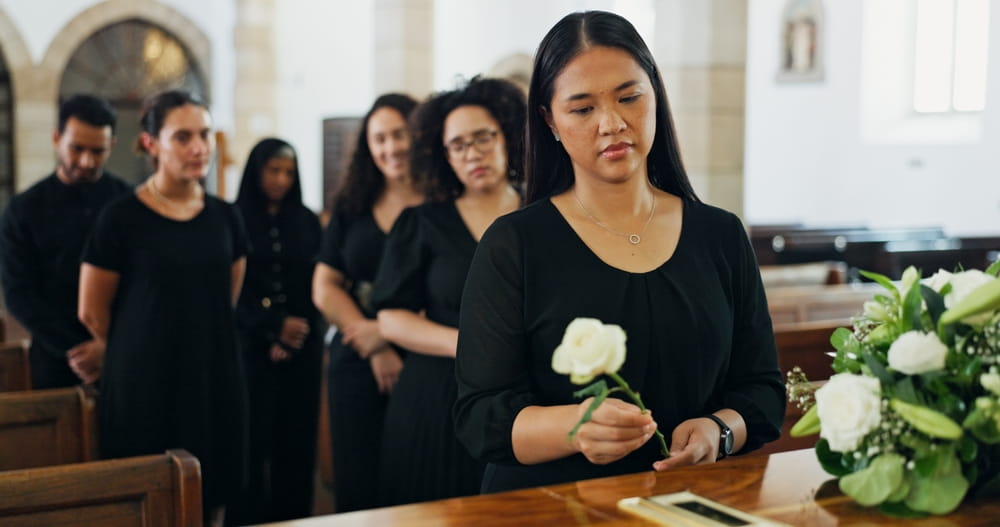
During times of loss, finding meaningful ways to reflect on cherished memories can bring comfort to those in mourning. By scrolling through photos or watching videos, you feel just a little bit closer to that special person. As you journey through the big and small moments of their life, you uncover the truly meaningful experiences that defined them.

Memorial videos are an excellent way to capture these sweet moments and tell your loved one’s story. And if you choose to include a memorial video at the service, you can honor their legacy and invite everyone to reflect on the gratitude they feel for being so lucky to have known such an incredible person.
But how do you create a memorial video? Whether you’re preparing a tribute for a public service or collecting memories to share privately, these 5 steps will help you craft a memorial video that truly captures your loved one’s unique story.

1. Gather
Start by thinking about moments and relationships that shaped your loved one’s life, including milestones and special events. Then, begin to compile the photos and videos together. Gathering images that showcase their hobbies, personal accomplishments, or community involvement is a great way to celebrate their memory.
Also, consider inviting close family members and friends to share their images so you can create a meaningful and healing experience for everyone involved. To make collaboration easy, set up a shared digital folder where friends and family, including those who live far away, can contribute their photos and videos. Printed photos can be scanned or digitized using a scanning app before uploading them to the folder.
Alongside these images, you can also gather and combine short video clips of your loved one from various moments in their life. Also, consider including video messages from friends and family who want to share stories or memories, especially from those unable to attend. By combining digitized photos and video elements, you create a more meaningful tribute that reflects the love, memories, and connections they shared.

2. Choose a Video Tribute Program
After you’ve collected and organized your chosen photos and videos, it’s time to choose a tool to help you create the memorial video. There are plenty of accessible online programs you can use (Canva, Flixier, Adobe Express) to create a personalized tribute for your loved one. Alternatively, you can get recommendations from people you know or ask the funeral home if they can create a video for you.
As you review your program options, here are some things to keep in mind:
- Choose an easy-to-use program, so you spend more time creating and less time troubleshooting.
- Make sure the software fits your skill set and won’t add stress to an already stressful time.
- Select a program that has an extensive royalty-free music library or allows you to easily upload your own.
- Check if the software includes tools for editing any photos that may need a touch-up.
- Save time by using predesigned templates with an overall theme that best fits your loved one’s personality.
If you find that you need help assembling the video, don’t be afraid to ask. Reach out to a friend or family member, or ask the funeral home if they can assist you.

3. Personalize
As you personalize the video, one of the most important things is to choose a structure that is thoughtfully arranged and tells your loved one’s story. You can organize photos chronologically, group them by themes like childhood, family, work, hobbies, or accomplishments, or even mix things up for variety.
Music or audio tracks are a great addition to further personalize a video tribute. Consider including a playlist featuring songs that capture your loved one’s unique personality or bring back special moments. Music can make us aware of our feelings, evoke memories, and bring comfort to those who are struggling.

Some video-making software includes frames or decorative elements. Think about how these options could best serve the storytelling and structure of the video. You can also add meaningful quotes, scripture, or personal quotes or mantras to enrich the story.
Lastly, consider how you’ll pace the sections of the tribute or each image’s screentime. For images with text, you may want to display the image for at least 5-7 seconds. This timeframe allows viewers enough opportunity to read the text and briefly pause for reflection. A well-paced video keeps viewers engaged and makes each moment more meaningful.
Overall, your goal is to honor your loved one’s story and let their personality shine through. Choose images, music, and words that reflect what made them special. These personal touches will make your tribute both heartfelt and memorable.

4. Review
Once you’ve finished assembling the video, watch it all the way through and ask a trusted friend or family member to review it for any edits or improvements. Some good things to keep in mind when editing:
- Check for any duplicate photos
- Avoid harsh or distracting transitions
- Keep the pacing in mind, giving more screen time to important moments
- Test the audio levels between music and video
- Check for any typos and misspellings
- Make sure the text is large enough to read from a distance
Remember to make a backup copy or duplicate the file in case of unexpected technical issues. Safeguarding your work also ensures you can share and revisit these heartfelt moments with family and friends for years to come.

5. Share
When it’s time to share the video tribute, you have several options. Consider sharing it privately with your family first to allow for an intimate moment of reflection and connection. You could also choose to debut the video at the service, creating a collective experience of remembrance for everyone present.
Another option is social media, which allows you to share memorial tributes across multiple platforms, ensuring your loved one’s memory reaches a broader community.
Additionally, many funeral homes provide online obituary pages where you can upload memorial videos, photos, and heartfelt messages, offering a permanent digital space for tributes. However you decide to share, this type of tribute will honor your loved one’s memory and bring comfort to those who care about them.

Hopefully these 5 steps have given you a clear understanding of how to create a meaningful and unique memorial video. The video will help you honor your loved one’s life, celebrate the moments that mattered most, and provide a heartfelt tribute that unites family and friends in remembrance. By thoughtfully gathering, weaving together, and sharing the memories that make up your loved one’s precious life, you help ensure their impact lives on in the hearts of all who knew them.